Evaluating Messy Strokes Calligraphy Procreate for Digital Lettering
Digital lettering and illustration have evolved significantly with the advent of powerful tablet applications, yet finding the right tools to achieve a specific aesthetic can remain a challenge. Messy Strokes Calligraphy Procreate represents a specialized resource designed to address this need by offering a distinct textural quality that mimics organic media. This tool is not a comprehensive software suite but rather a targeted asset: a single brush file intended for use within the Procreate ecosystem. For artists seeking to infuse their work with spontaneous, hand-drawn character, understanding the capabilities and limitations of this specific brush is essential before making a purchase decision.
Understanding the Tool and Its Purpose
The core offering here is The Messy Strokes Single Brush, distributed as a .brushset file. It is crucial to clarify that this product is compatible exclusively with the Procreate app, specifically version 5 or higher. It does not function in Adobe Photoshop, Illustrator, or other raster-based programs. This exclusivity means that users must already be invested in the Apple iPad and Procreate workflow to utilize this tool effectively.
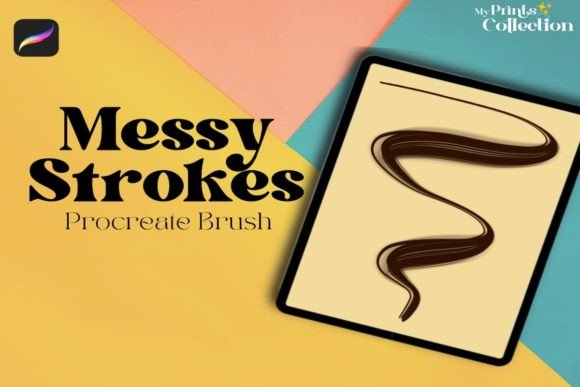
The primary function of this brush is to add fun and creative details to lettering, illustration, and digital art. Unlike standard round brushes that produce uniform lines, this tool is engineered to create irregular, textured strokes. The "messy" descriptor refers to the intentional imperfection in the stroke path and texture, which helps break up the sterile feel often associated with digital drawing. By simulating the friction and variability of physical media like dry ink, charcoal, or rough paper, it allows digital artists to achieve a more authentic, hand-crafted look without leaving their tablet.
Why Artists Consider Specialized Brushes
When evaluating whether to integrate Messy Strokes Calligraphy Procreate into a workflow, it is helpful to consider the common pain points in digital lettering. Many artists struggle with the "perfect" smoothness of vector-like lines, which can lack personality. A specialized brush like this serves several strategic purposes:
- Texture Integration: It eliminates the need for complex layer blending modes or external texture overlays to achieve a gritty look.
- Speed and Efficiency: Instead of manually distressing edges or adding noise in post-production, the brush applies these effects in real-time as you draw.
- Creative Spark: The unpredictability of the stroke can inspire new compositional ideas, encouraging a looser, more expressive style.
For illustrators who focus on branding, social media graphics, or editorial illustrations, this aesthetic is currently in high demand. Brands often seek visuals that feel approachable and human, and a brush that naturally introduces variation supports this goal efficiently.
Benefits and Practical Applications
The most significant benefit of using Messy Strokes Calligraphy Procreate is the immediate visual impact it provides. Because the brush is pre-configured with specific dynamics regarding size, opacity, and scatter, it reduces the technical barrier to entry for achieving complex textures. Users do not need to spend hours adjusting brush engine settings; they can begin creating immediately.
This tool is particularly strong in situations where:
- Hand-Lettered Logos: Creating logos that need to feel artisanal rather than corporate.
- Social Media Content: Adding quick, eye-catching annotations or highlights to photos and videos where a polished look might feel too rigid.
- Sketching and Ideation: The loose nature of the brush encourages rapid ideation without getting bogged down in precision.
- Mixed Media Styles: Combining clean digital elements with rough, organic accents to create visual contrast.
Furthermore, because it is a single brush file, it is lightweight and easy to manage. There is no bloated library to navigate; the artist knows exactly what tool they are selecting. This simplicity can streamline the creative process, allowing for a more focused workflow.
Tradeoffs and Compatibility Considerations
While the benefits are clear, there are important tradeoffs to consider. The most critical limitation is compatibility. As noted, this brush is not compatible with Photoshop or Illustrator. Artists who rely on a multi-software workflow, such as starting in Procreate and finishing in Photoshop, may find this limiting if they prefer to maintain consistent brush behavior across platforms. In such cases, creating a custom brush in Photoshop that mimics this effect might be a more sustainable long-term solution, albeit with a steeper learning curve.
Additionally, the term "messy" implies a lack of control. For projects requiring precise, geometric calligraphy or strict brand guidelines with uniform line weights, this brush may be unsuitable. It is designed for expression, not precision. Users expecting a tool that can handle fine, detailed script with perfect consistency may be disappointed. The brush excels in display lettering and decorative elements but may struggle with small body text or intricate details.
Another consideration is the reliance on the host software’s performance. Since Procreate version 5 or higher is required, users with older iPads that cannot support the latest OS updates may face compatibility issues. It is advisable to check device specifications before purchasing to ensure smooth performance, as textured brushes can sometimes be more demanding on processing power than simple round brushes.
Decision-Making Insights: Is This Right for You?
To determine if Messy Strokes Calligraphy Procreate aligns with your goals, assess your current artistic needs. If you are a beginner looking to explore digital lettering, this brush can serve as an excellent teaching tool, demonstrating how pressure and tilt affect texture. However, beginners should also invest time in learning fundamental stroke control, as a textured brush can sometimes hide poor technique rather than correct it.
For professional illustrators, the decision often comes down to style consistency. If your portfolio leans towards clean, minimalist, or vector-style art, this brush may see limited use. Conversely, if your style embraces grunge, vintage, or hand-drawn aesthetics, this tool can become a staple in your kit. It is also worth watching the video provided in the listing, as seeing the brush in action offers a clearer expectation of its behavior than static images alone.
Alternatives worth considering include creating your own custom brushes in Procreate, which offers total control over dynamics but requires technical knowledge. There are also broader brush packs available that include multiple variations of textured brushes, which might offer better value if you require a wider range of effects beyond just one "messy" stroke.
Final Thoughts on Value and Utility
In the crowded marketplace of digital art assets, Messy Strokes Calligraphy Procreate carves out a niche for artists who prioritize texture and organic feel. It is a focused, purpose-built tool that delivers on its promise of adding creative detail with minimal setup. However, its utility is bounded by its specific aesthetic and strict software requirements.
Ultimately, this brush is a strong fit for iPad-based artists who want to enhance their lettering and illustration with a distinct, hand-made quality. It is less suitable for those requiring cross-platform compatibility or precise, uniform lines. By weighing these factors against your personal workflow and artistic direction, you can make an informed decision about whether this single brush will enhance your digital toolkit. Remember that while tools can facilitate creativity, they are most effective when paired with a clear understanding of their intended use and limitations.