Evaluating the Procreate Oil Brush 12 Blender Old Brush for Digital Painting
Digital art has evolved significantly, moving beyond flat vectors and clean lines to emulate the tactile richness of traditional media. For artists using the iPad, finding tools that bridge the gap between screen and canvas is a priority. The Procreate Oil Brush 12 Blender Old Brush represents a specific category of digital assets designed to replicate the physical resistance and texture of oil painting. This article examines the functionality, aesthetic qualities, and practical applications of this brush set to help you determine if it aligns with your artistic workflow.
Understanding the Tool’s Core Functionality
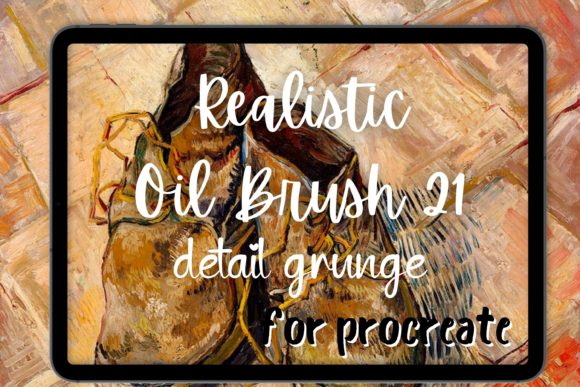
The Procreate Oil Brush 12 Blender Old Brush is not merely a standard painting tool; it is engineered to simulate the behavior of worn, natural bristles interacting with textured surfaces. Unlike default software brushes that often feel uniform and predictable, this tool incorporates irregularities found in real-life brush strokes. The primary objective is to provide the feeling of painting with actual paint and canvas, introducing an element of organic unpredictability into the digital space.
Central to this experience is the inclusion of a specialized blender. In traditional oil painting, blending is achieved by manipulating wet paint on the canvas. Digitally, this is often difficult to replicate without losing texture or creating muddy colors. This brush set addresses that challenge by offering an oil blender and texture blender that smears existing pigment while preserving the underlying grain. This allows for smooth gradients and soft edges without sacrificing the painterly quality that defines the medium.
Aesthetic Characteristics and Visual Output
Artists drawn to this tool are typically interested in styles that rely heavily on visible brushwork. The Procreate Oil Brush 12 Blender Old Brush excels in producing oil brush strokes that mimic the impasto technique, where paint is laid on an area of the surface in very thick layers. This makes it particularly suitable for impressionism and abstract painting, where the movement of the hand and the texture of the medium are as important as the subject matter.
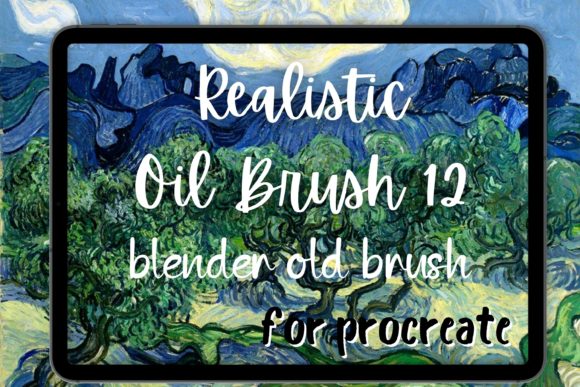
The "old brush" aspect refers to the frayed, uneven edges of the digital tip. This creates a grungy blender effect, adding character and depth to the artwork. It avoids the sterile, computer-generated look that can sometimes plague digital illustrations. When used effectively, the results can resemble Van Gogh oil paintings, characterized by dynamic, swirling strokes and vibrant, textured layers. For those seeking a Procreate Van Gogh style, this tool provides the necessary mechanical simulation to achieve those iconic visual patterns.
Practical Benefits for Digital Artists
One of the significant advantages of using a dedicated Procreate oil brush is the reduction in manual texturing work. Instead of applying separate overlay layers to simulate canvas grain, the brush integrates texture directly into the stroke. This streamlines the workflow, allowing artists to focus on composition and color theory rather than post-processing effects.
Furthermore, the inclusion of a high-quality blending brush solves a common pain point in digital oil painting. Standard smudge tools in Procreate can often blur details excessively. A specialized texture blender allows for controlled mixing of colors, maintaining the integrity of the brushstroke while achieving seamless transitions. This is crucial for creating realistic skin tones, atmospheric landscapes, or complex lighting scenarios where hard edges would break the illusion of depth.
Considerations and Tradeoffs
While the Procreate Oil Brush 12 Blender Old Brush offers distinct advantages, it is not a universal solution for all digital art tasks. Artists accustomed to clean, vector-like illustrations or flat design may find the inherent roughness of the brush counterproductive. The old brush texture introduces noise and irregularity that requires careful management. If precision is the primary goal, such as in technical illustration or comic book line art, this tool may require excessive correction.
Additionally, there is a learning curve associated with mimicking traditional media digitally. Understanding how pressure sensitivity interacts with the acrylic brush or oil settings is essential. Users must adjust their stroke speed and pressure to get the desired effect. Light pressure may yield subtle, transparent washes, while heavy pressure produces thick, opaque ridges. Mastering this dynamic takes practice and may initially slow down the production process compared to using standard, forgiving digital brushes.
Ideal Use Cases
This brush set is a strong fit for several specific scenarios:
- Plein Air Studies: Artists who want to capture the spontaneity of outdoor painting can use the quick-drying nature of the digital equivalent to sketch landscapes with painterly flair.
- Portrait Painting: The ability to blend skin tones softly while retaining texture makes it ideal for realistic or semi-realistic portraits.
- Concept Art: For environment designers needing to convey mood and atmosphere quickly, the grunge and texture capabilities allow for rapid iteration of ideas.
- Fine Art Reproduction: Artists aiming to create digital works that can be printed on canvas will benefit from the high-resolution texture data embedded in the strokes.
When to Consider Alternatives
There are situations where other tools within a Procreate bundle might be more appropriate. If your project requires sharp, crisp edges, such as in graphic design or logo creation, a standard hard round brush or a vector-based tool is superior. Similarly, if you are working on large-scale commercial illustrations that require easy editing and scalability, the raster-based nature of textured oil brushes can become limiting.
Moreover, if you prefer the look of watercolor or ink, this oil-specific set will not deliver the desired transparency or flow. In such cases, exploring brushes designed specifically for wet-on-wet techniques or dry media like charcoal would be more beneficial. It is also worth noting that if you already possess a comprehensive library of custom brushes, you should evaluate whether this specific Procreate oil brush offers unique features not already present in your collection.
Making an Informed Decision
Choosing the right digital tools is about matching the instrument to the intended outcome. The Procreate Oil Brush 12 Blender Old Brush is a specialized asset for artists who value texture, tradition, and tactile feedback. It transforms the iPad into a virtual easel, providing the resistance and variability of physical paint.
Before integrating this tool into your workflow, consider your current artistic goals. Are you looking to enhance the organic feel of your work? Do you struggle with digital blending? If the answer is yes, this brush set offers a viable solution. However, if your style leans towards minimalism or precise line work, you may find the Van Gogh brush aesthetics too dominant. By understanding both the capabilities and limitations of the Procreate Oil Brush 12 Blender Old Brush, you can make a decision that supports your creative evolution rather than complicating it.