Mastering the Heart Single Procreate Brush for Seamless Boho Designs
Digital illustration has democratized creativity, allowing artists of all skill levels to produce professional-grade work from an iPad. Among the myriad tools available, specialized brushes like the Heart Single Procreate Brush have become essential assets for designers focusing on romantic themes, wedding stationery, and Valentine’s Day marketing materials. However, possessing a high-quality tool does not automatically guarantee a polished result. Many creators stumble not because of a lack of talent, but due to misunderstandings about how single-stamp brushes function within a broader design workflow.
This guide explores the practical realities of using this specific brush set. It addresses common pitfalls that can hinder your efficiency and aesthetic quality, offering corrective advice to help you maximize the potential of your digital toolkit. Whether you are a seasoned freelancer or a hobbyist exploring pattern making, understanding the nuances of this tool is crucial for achieving seamless, professional outcomes.
Understanding the Tool’s Specific Purpose
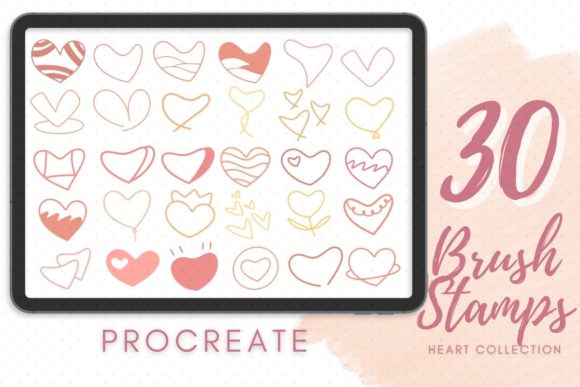
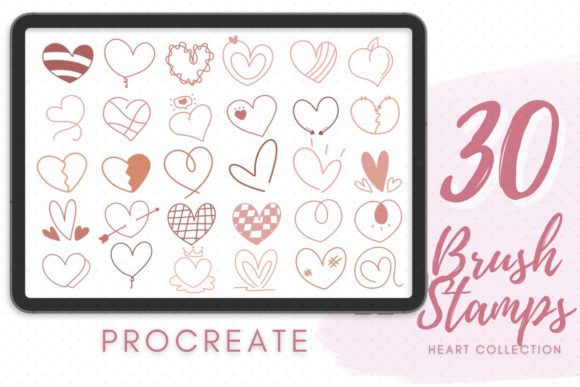
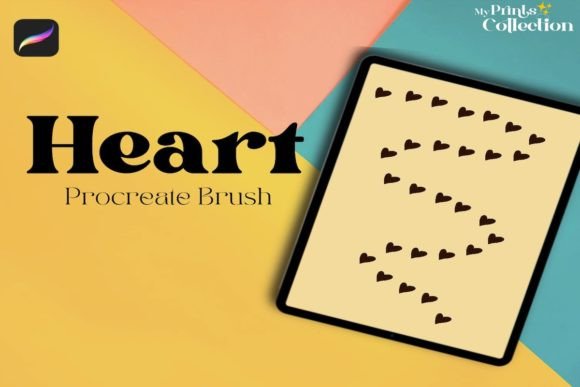
The Heart Single Procreate Brush is designed primarily for creating individual elements rather than continuous lines. Unlike standard painting brushes that respond to pressure and tilt to create varied strokes, a single-stamp brush places a predefined shape—in this case, a boho-style heart—onto the canvas with each tap. This distinction is vital. Users often purchase these brushes expecting them to behave like traditional inking tools, leading to frustration when the output appears repetitive or rigid.
This brush is ideal for constructing borders, scattering motifs across backgrounds, or building complex patterns manually. Its value lies in consistency and speed. By using a pre-designed vector-like shape, you eliminate the need to draw every heart by hand, ensuring uniformity in style. However, this convenience comes with a learning curve regarding placement and composition.
Common Mistakes and How to Avoid Them
One of the most frequent errors beginners make is ignoring the software requirements. The listing explicitly states that this tool requires Procreate App version 5 or higher. Attempting to use it on older versions or incompatible software like Photoshop or Illustrator will result in failure. These files are formatted specifically for Procreate’s engine. Before purchasing or downloading, always verify your app version. Updating your software ensures access to the latest brush engines and stabilization features that enhance the usability of such tools.
Another significant oversight involves the expectation of immediate seamlessness. While the product description mentions "Valentines Seamless Border," a single-stamp brush does not automatically create a seamless pattern. You must manually arrange the hearts or use Procreate’s drawing assist features to achieve a repeating border. Many users place hearts randomly, resulting in awkward gaps or overlapping clusters that look cluttered rather than curated. To avoid this, utilize the grid feature in Procreate. Turn on the drawing guide and select symmetry or horizontal repetition. This allows you to space your hearts evenly, creating a balanced border that flows naturally across the page.
Additionally, artists often neglect to adjust the brush settings. The default size and opacity may not suit every project. If you are creating a subtle background texture, reducing the opacity and varying the size slightly can add depth. Conversely, for bold statement pieces, keeping the opacity at 100% and using a consistent size creates impact. Experimenting with the streamlining setting can also help if you are combining single stamps with freehand elements, ensuring a cohesive look.
Optimizing Your Workflow for Better Results
To truly leverage the Heart Single Procreate Brush, consider integrating it into a layered workflow. Start with a base layer for your background color or texture. Create a new layer specifically for your heart elements. This separation allows you to move, resize, or adjust the opacity of the entire group of hearts without affecting the rest of your design. It also enables you to apply global adjustments, such as color shifts, to match your brand palette or theme.
When creating patterns, variety is key to avoiding a sterile, computer-generated appearance. Although the brush provides a consistent shape, you can introduce organic variation by rotating individual hearts slightly or changing their scale. A boho aesthetic thrives on imperfection and handcrafted charm. Do not be afraid to break the grid occasionally. Place a few hearts off-center or overlap them intentionally to create focal points. This technique mimics the natural randomness found in hand-drawn illustrations, enhancing the romantic and authentic feel of your work.
Furthermore, pay attention to color theory. The default black or white stamp is merely a starting point. Use the color disc to experiment with muted pastels, deep burgundies, or earthy tones that align with the boho trend. Testing different color combinations on a separate sketch layer before committing to your final design can save time and prevent dissatisfaction with the final output.
What to Check Before You Begin
Before diving into a project, take a moment to review the included resources. The package contains a .brushset file and often includes a video tutorial. Watching the video is not optional; it is a critical step in understanding the creator’s intended use cases. The video may demonstrate specific techniques for spacing, layering, or combining this brush with other tools that are not immediately obvious from the interface alone.
Ensure your iPad screen is clean and your Apple Pencil is charged. Technical glitches can disrupt creative flow. Also, familiarize yourself with Procreate’s gesture controls. Knowing how to quickly undo, redo, or switch layers will significantly speed up the process of arranging multiple heart stamps. Efficiency in digital art is not just about the tool but also about the artist’s proficiency with the platform.
Finally, consider the end use of your artwork. If you are designing for print, ensure your canvas resolution is set to 300 DPI. Digital brushes can appear pixelated if the canvas is too small or the resolution too low. Setting up your document correctly from the start prevents quality issues later, ensuring your romantic stroke patterns look crisp and professional whether they are viewed on a screen or printed on invitation cards.
By approaching the Heart Single Procreate Brush with a clear understanding of its capabilities and limitations, you can avoid common frustrations and elevate your design work. Focus on manual arrangement, respect the software requirements, and embrace the flexibility of digital layers. With these practices, you will create beautiful, seamless borders and patterns that resonate with your audience and reflect your unique artistic voice.