Mastering Digital Impressionism: A Guide to the Procreate Oil Brush Toothy Palette Knife
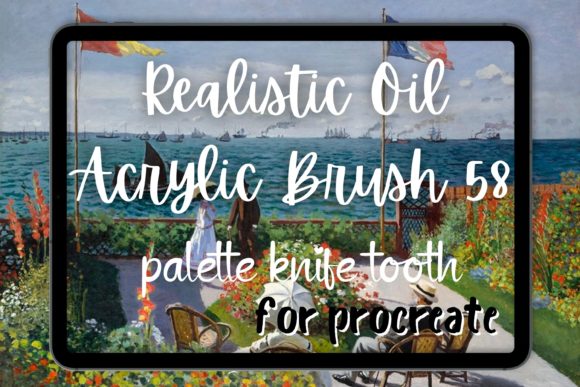
In the rapidly evolving world of digital art, the gap between traditional media and tablet-based creation is narrowing. For years, artists sought tools that could replicate the tactile satisfaction of dragging a bristle across canvas or scraping thick pigment with a metal blade. Today, that search culminates in specialized tools like the Procreate Oil Brush Toothy Palette Knife and the Procreate Oil Brush 58 Toothy Palette Knife. These are not merely filters; they are sophisticated algorithms designed to mimic the physical resistance and texture of real-life painting.
Understanding how these brushes function requires looking beyond the screen. It involves appreciating the mechanics of toothy textures, the dynamics of impasto, and the historical weight of movements like impressionism and post-impressionism. Whether you are a beginner exploring your first digital canvas or an experienced illustrator seeking more organic results, mastering these tools can transform your workflow from flat illustration to painterly expression.
The Essence of Realistic Digital Texture
At its core, the appeal of the Procreate oil brush lies in its ability to simulate friction. Traditional digital brushes often feel slippery, gliding over the glass surface without resistance. In contrast, the "Toothy" designation refers to the brush’s interaction with the digital canvas grain. Just as a rough watercolor paper grabs pigment, these brushes catch on the digital texture, creating broken edges and varied opacity that mimic natural media.
The Procreate Oil Brush 58 Toothy Palette Knife takes this concept further by emulating a specific tool: the palette knife. Unlike a soft bristle brush, a palette knife applies paint in thick, decisive strokes. It does not blend smoothly; it layers, scrapes, and builds volume. This is crucial for artists aiming for an abstract painting style or heavy impasto effects where the physical presence of the paint is as important as the color itself.
Why "Toothy" Matters in Digital Art
The term "toothy" might seem obscure to non-artists, but it describes a critical visual characteristic. A toothy stroke has irregularities—tiny gaps, spikes, and variations in density. These imperfections are what make a painting look human rather than computer-generated. When using a van gogh brush preset, for example, the goal is to avoid the sterile perfection of vector lines. Instead, the brush leaves behind a trail that suggests movement and energy.
- Texture Simulation: Replicates the weave of canvas or the grain of paper.
- Edge Variation: Creates jagged, organic edges rather than smooth anti-aliased lines.
- Opacity Build-up: Allows colors to layer naturally, simulating the translucency of oil or acrylics.
Channeling the Masters: Van Gogh and Impressionism
It is impossible to discuss thick, expressive brushwork without mentioning Vincent van Gogh. His work defined the emotional power of visible brushstrokes. The modern Procreate Van Gogh aesthetic relies heavily on tools that can replicate his signature zigzag and swirling motions. The Van Gogh oil style is characterized by short, thick dashes of pure color that blend optically in the viewer's eye rather than physically on the canvas.
When you utilize a palette knife brush in Procreate, you are tapping into this legacy. The tool allows for the creation of bold, structural shapes. Consider the sky in The Starry Night; it is not a smooth gradient but a series of rhythmic, turbulent strokes. A high-quality oil brush strokes preset enables digital artists to achieve similar dynamism. By adjusting the pressure sensitivity, you can control the thickness of the "paint," allowing for delicate highlights or heavy, sculptural shadows.
Beyond Oil: Acrylic and Gouache Versatility
While marketed as oil brushes, these tools are remarkably versatile. The underlying physics of a toothy stroke apply to various mediums. An acrylic brush behaves similarly to oil but dries faster and holds sharper edges. The Procreate Toothy Palette Knife can easily switch roles to simulate the matte, chalky finish of a gouache brush simply by altering the blending mode and opacity settings.
This flexibility makes the Procreate bundle containing these brushes an essential asset for concept artists and illustrators who need to switch styles quickly. One moment you may be rendering a loose, painterly landscape, and the next, a sharp, graphic poster design. The common thread is the texture—the tangible feel of the medium.
Practical Application: Techniques for Better Results
Having the right tool is only half the battle. Knowing how to wield it determines the quality of your output. Here are practical steps to maximize the potential of your Procreate oil brush collection.
- Utilize Canvas Textures: Do not paint on a plain white background. Import a high-resolution photo of linen or rough paper. Set this layer to "Multiply" or "Overlay" at low opacity. The toothy brush will interact with this underlying grain, enhancing the realistic effect.
- Vary Your Pressure: Digital tablets detect pressure sensitivity. Press hard for thick, opaque ridges akin to a loaded palette knife. Lighten your touch for translucent glazes or sketchy underpaintings. This dynamic range is key to achieving a van gogh brush look.
- Embrace the Zigzag: Avoid long, continuous lines. Instead, use short, overlapping strokes. This zigzag technique builds form through accumulation rather than outline, a hallmark of impressionism.
- Layer Strategically: Start with large, blocky shapes using the wide side of the palette knife brush. Gradually move to smaller details. Allow lower layers to peek through, creating depth and complexity.
Common Misconceptions About Digital Painting
A frequent misunderstanding is that digital brushes do the work for you. In reality, a Procreate Van Gogh preset will not automatically turn a photograph into a masterpiece. It provides the potential for texture, but the artist must still understand light, color theory, and composition. The brush is a vehicle for expression, not a replacement for skill.
Another assumption is that realistic brushes slow down the workflow. On the contrary, once mastered, a palette knife brush can speed up the process of adding detail. Instead of manually painting every highlight, a single well-placed stroke can suggest a reflection or a ridge of paint, saving time while increasing visual interest.
The Role of Texture in Modern Creativity
In an era dominated by sleek, minimalist user interfaces and vector graphics, there is a growing hunger for the imperfect and the handmade. This trend extends beyond fine art into branding, web design, and social media content. Brands are increasingly adopting painterly aesthetics to convey authenticity and warmth. A logo rendered with oil brush strokes feels more approachable than a sterile geometric shape.
For educators and students, these tools offer a bridge between art history and technology. Studying the techniques of the Old Masters becomes interactive when you can simulate their materials instantly. It demystifies the process of abstract painting and encourages experimentation without the cost of physical supplies.
Building a Comprehensive Toolkit
While the Procreate Oil Brush Toothy Palette Knife is a standout tool, it works best as part of a broader ecosystem. A well-curated Procreate bundle should include complementary brushes: soft blenders for smoothing transitions, dry brushes for scumbling, and fine liners for details. However, the toothy palette knife remains the workhorse for establishing the primary structure and mood of a piece.
By integrating these tools into your daily practice, you develop a deeper understanding of materiality. You learn to see the world not just as shapes and colors, but as textures and surfaces. This shift in perspective is invaluable, whether you are creating commercial illustrations or personal fine art.
Conclusion
The Procreate Oil Brush 58 Toothy Palette Knife represents more than just a software update; it is a testament to the power of digital emulation. By capturing the essence of van gogh oil techniques and the tactile nature of toothy canvas, it empowers artists to create work that resonates with emotional depth and physical presence. Whether you are drawn to the chaotic energy of impressionism or the bold statements of abstract painting, mastering these brushes opens new avenues for creative expression. Embrace the friction, trust the texture, and let your digital paint flow with the confidence of the masters.