Procreate Brush Baby Kids Alphabet A-Z Guide
Digital illustration has democratized creativity, allowing anyone with an iPad and a stylus to produce professional-grade artwork. However, the bottleneck for many creators is not talent, but time. Hand-lettering every single character in a design can be tedious, especially when consistency is key. This is where specialized tools like the Procreate Brush Baby Kids Alphabet a-z become invaluable assets in your digital toolkit. Designed specifically for the Procreate ecosystem, this brush set bridges the gap between custom hand-drawn aesthetics and the efficiency of typography.
Whether you are a freelance graphic designer, an educator creating engaging classroom materials, or a small business owner crafting social media content, understanding how to leverage stamp brushes can significantly enhance your workflow. This guide explores the practical applications, technical strengths, and creative possibilities of using this specific alphabet brush set within your projects.
Understanding the Toolset
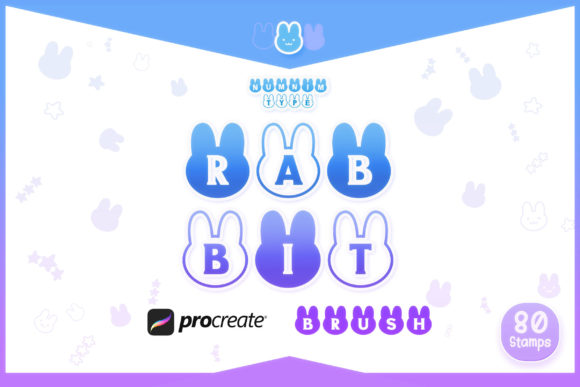
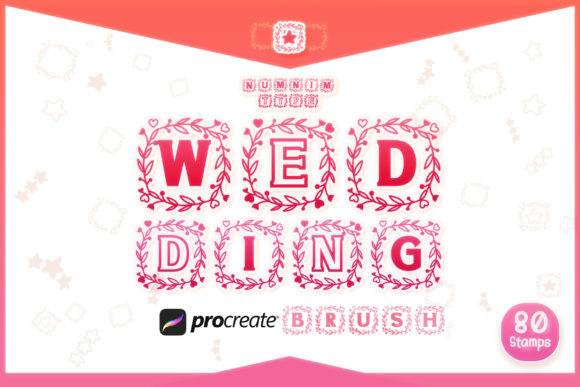
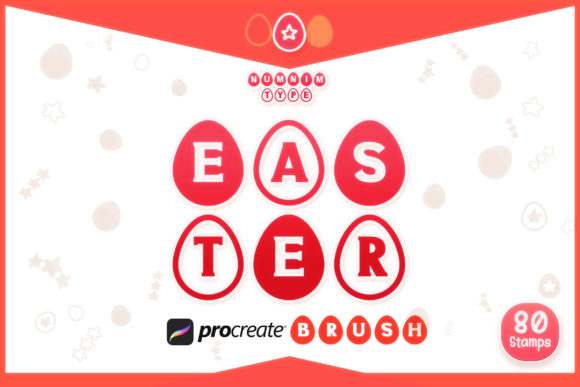
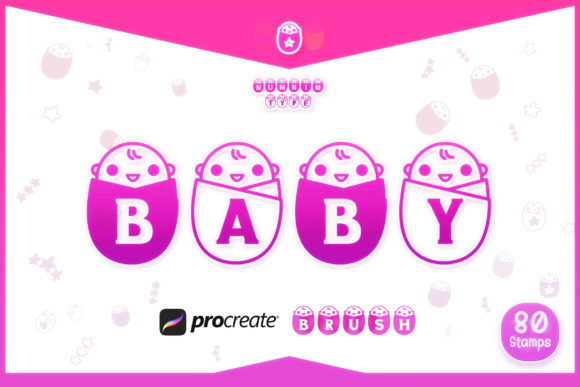
The Procreate Brush Baby Kids Alphabet a-z is not just a font; it is a dynamic collection of digital stamps. When you purchase this tool, you receive a single zipped file containing a curated Procreate brush set. The core value lies in its variety and specificity. The set includes twenty-six alphabet brush stamps in Style 1, covering A through Z, and another twenty-six alphabet brush stamps in Style 2. This dual-style approach provides immediate versatility, allowing you to mix and match characters for a more organic, less rigid look.
Beyond letters, the set includes numbers 0-9 in two distinct styles, ensuring that dates, prices, and lists maintain the same playful aesthetic. Additionally, it features a collection of doodles that complement the typographic elements. For those who need vector scalability or traditional font integration, it is worth noting that Font and SVG versions are available separately on the Numnim Type Store. However, for Procreate users, the brush format offers unique advantages in texture and blending that standard fonts cannot replicate.
Why Stamp Brushes Outperform Standard Fonts
You might wonder why one would choose a brush set over installing a standard TTF or OTF font. The answer lies in the tactile quality of digital painting. Standard fonts are mathematically perfect vectors, which can sometimes feel sterile or cold in a hand-crafted design. The Procreate Brush Baby Kids Alphabet a-z retains the imperfections and textures of hand-drawing. Each stamp interacts with your canvas settings, allowing for subtle variations in opacity and flow if configured correctly.
Furthermore, using brushes keeps your workflow entirely within Procreate. You do not need to switch apps, copy-paste text layers, or worry about font compatibility issues when sharing source files with other Procreate users. Everything remains editable as raster layers, giving you the freedom to warp, smudge, or erase parts of individual letters without affecting the entire text block. This level of control is crucial for achieving a truly bespoke look.
Practical Applications for Creators
The utility of this brush set extends far beyond simple greeting cards. Here is how different professionals can integrate these tools into their daily operations:
- Educational Content Creation: Teachers and homeschooling parents can create vibrant worksheets, flashcards, and reward charts. The playful nature of the baby kids alphabet style resonates well with young learners, making educational materials more engaging and less intimidating.
- Social Media Marketing: Entrepreneurs and marketers often need to produce quick, eye-catching graphics for Instagram stories or Pinterest pins. Using these stamp brushes allows for rapid creation of quotes, announcements, and promotional banners that stand out against the polished, corporate aesthetic of typical feed posts.
- Children’s Book Illustration: Freelance illustrators can use the doodles and alphabet stamps to add interactive elements to their pages. Instead of drawing every letter by hand, they can place the stamps and then customize them with additional textures or colors to match the book’s theme.
- Branding and Packaging: Small business owners selling handmade goods can use these brushes to design labels, thank-you notes, and packaging inserts. The hand-drawn vibe communicates authenticity and care, which are significant selling points in the artisan market.
Maximizing Efficiency and Consistency
One of the primary benefits of using the Procreate Brush Baby Kids Alphabet a-z is the consistency it brings to multi-page projects. When working on a children’s book or a series of social media posts, maintaining a uniform lettering style can be challenging if you are free-handing each word. With stamp brushes, every "A" looks like the same "A," providing a cohesive visual identity across all your assets.
To get the most out of this efficiency, consider organizing your layers logically. Create a separate layer for each word or phrase. This non-destructive workflow allows you to move, resize, or recolor specific words without redoing the entire composition. Since the set includes two styles, you can use Style 1 for headings and Style 2 for subheadings, creating a clear visual hierarchy without needing to source additional fonts.
Technical Considerations and Best Practices
While stamp brushes are powerful, they require a different approach than standard painting brushes. Here are some practical tips for implementation:
- Canvas Resolution: Ensure your canvas is set to a high resolution (300 DPI or higher) if you intend to print your work. Since these are raster-based stamps, scaling them up too much on a low-resolution canvas will result in pixelation.
- Color Customization: Do not feel bound to black ink. One of the greatest strengths of Procreate is color. Experiment with pastel palettes for a soft, nursery-like feel, or bold primary colors for high-impact educational materials. You can change the color of the stamp before placing it or use the Hue/Saturation adjustment after placement.
- Combining Elements: Use the included doodles to frame your text. A simple border of stars, hearts, or animals can transform a plain word into a complete design element. This is particularly useful for creating badges or stickers.
- Layer Blending Modes: Try changing the blending mode of your text layer to Multiply or Overlay if you are working on a textured background. This can help the letters integrate more naturally with paper textures or watercolor washes, enhancing the hand-made illusion.
Expanding Your Creative Horizon
The Procreate Brush Baby Kids Alphabet a-z is a starting point, not a limitation. By combining these stamps with Procreate’s robust animation assist feature, you can even create simple animated GIFs for digital use. Imagine each letter bouncing onto the screen or doodles twinkling around the text. This adds a layer of interactivity that static fonts simply cannot achieve.
For those who find themselves needing even more flexibility, remember that the Font and SVG versions are available on the Numnim Type Store. This hybrid approach allows you to start your concept in Procreate with the textured brushes and then transition to vector software like Adobe Illustrator for large-format printing, ensuring you have the right tool for every stage of the production pipeline.
In conclusion, integrating specialized brush sets into your digital workflow is a smart move for any creator looking to balance quality with speed. The Procreate Brush Baby Kids Alphabet a-z offers a charming, versatile, and efficient solution for a wide range of projects. By mastering these tools, you free up mental energy to focus on composition, color theory, and storytelling, ultimately elevating the quality of your creative output.